From a consented recording
Start with a draft.
For recorded video sessions with consent, local transcription and a local language model can prepare a note in your chosen format. The recording and drafting are separate from your approval of the note.
An electronic medical record for running your own practice. Booking, patient records, video visits, documents and billing together, with local AI to help prepare notes for your review.

Inside the EMR
Appointments, records and the work around every session.
Choose a branch to look inside.
A place for your practice.
System illustration · hardware variesAppointments
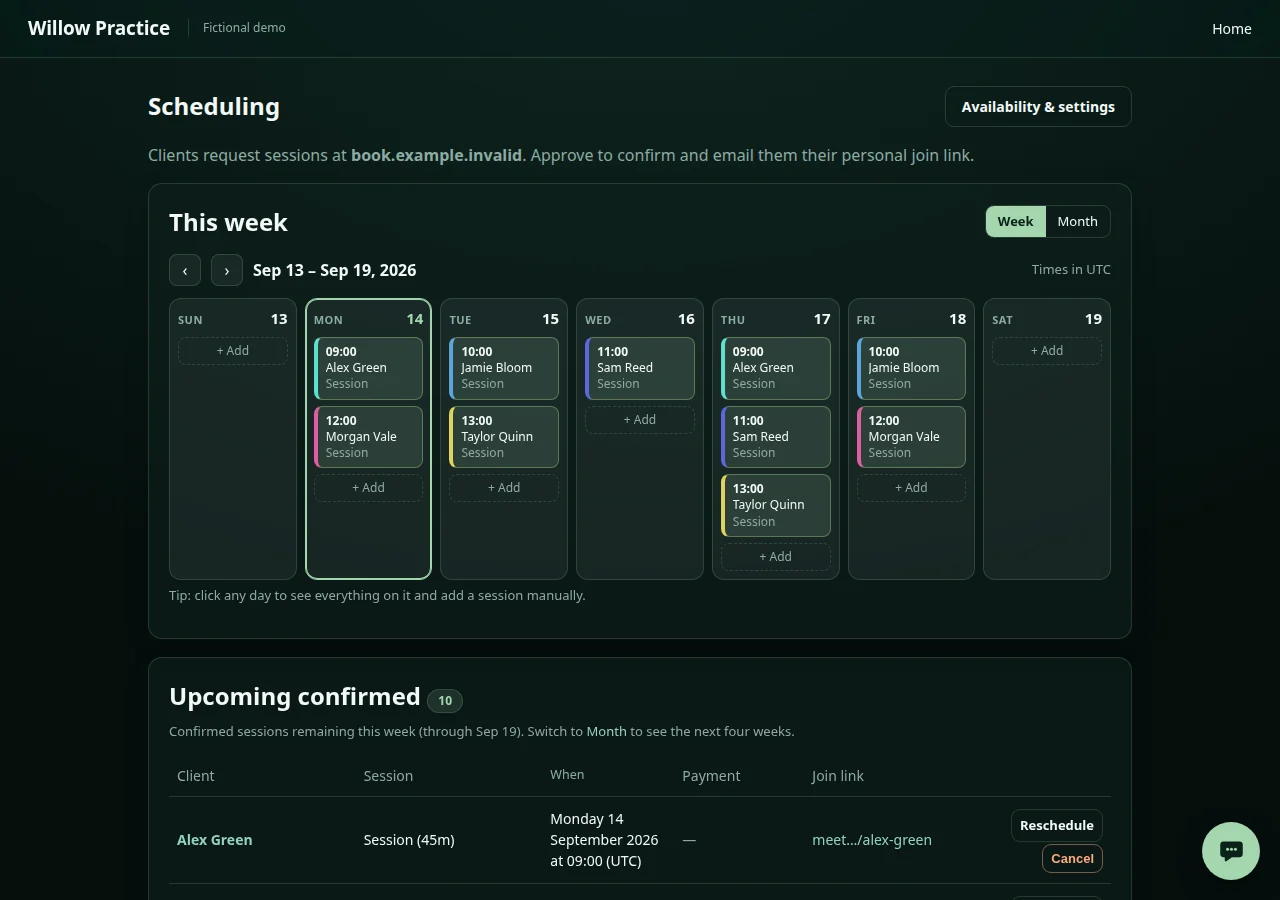
Offer self-booking around your working hours and session lengths. Review requests before confirmation, then manage appointments in one calendar.
 View screenshot
Patient records
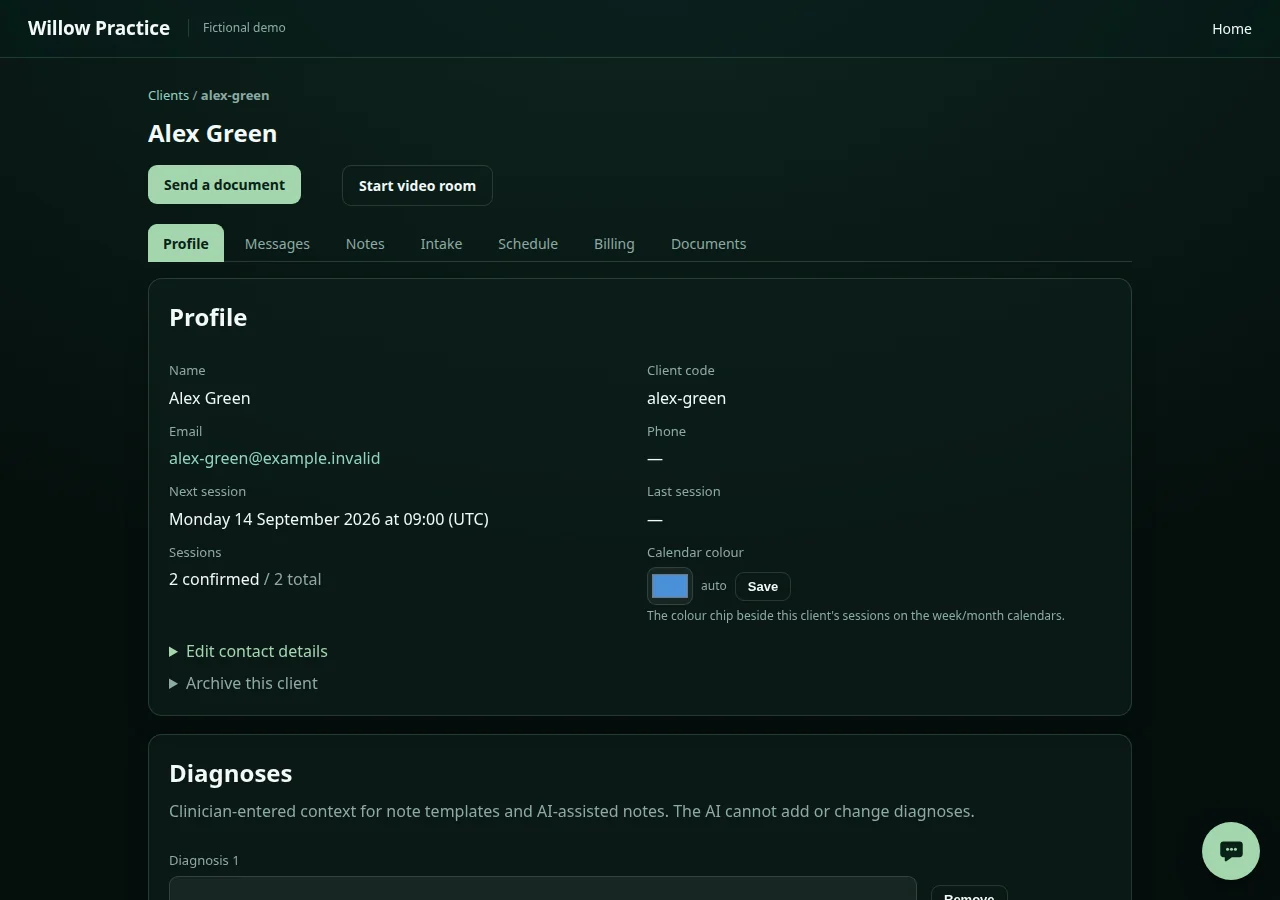
Keep patient details, appointment history, clinical notes and documents together. Open the record before a session and return to it afterwards.
 View screenshot
Intake & portal
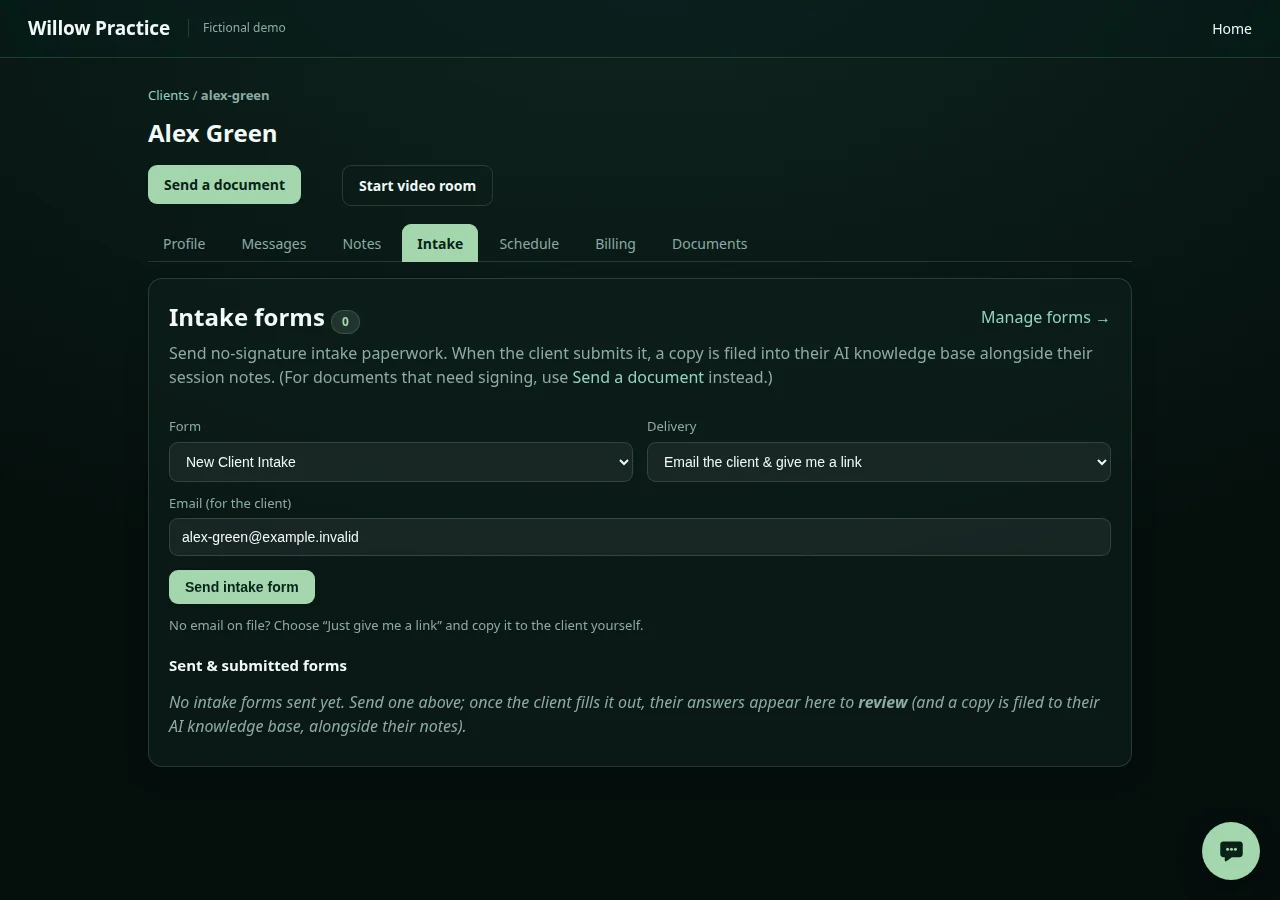
Build intake questionnaires and send patients a link to complete them. The client portal keeps appointment details and messages close to hand.
 View screenshot
Video visits
Meet in browser-based video rooms hosted on your own system. Joining links sit alongside appointments. Video visits and public booking need network connectivity.
Illustrative workflow
Notes & local AI
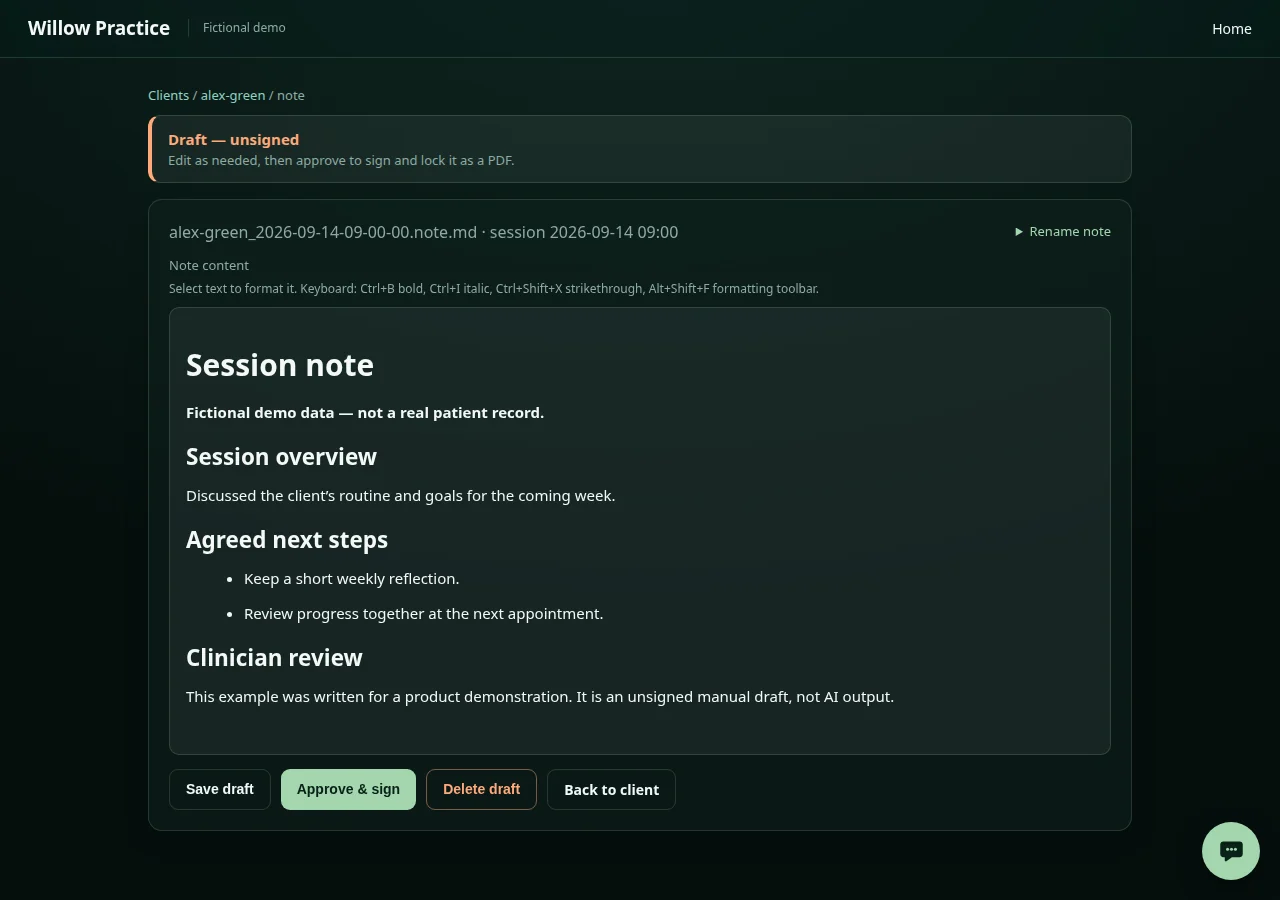
Write from scratch or use your own templates. Local AI can prepare an unsigned draft; the clinician reviews, edits and signs the final record.
 View screenshot
Documents & signing
Send documents for signature through self-hosted DocuSeal. Completed PDFs are filed with the patient record. Document delivery needs configured email.
Illustrative workflow
Billing & payments
Create invoices, track outstanding and paid sessions, and issue receipts. Connect your own Stripe account for online payments; Stripe processes those transactions.
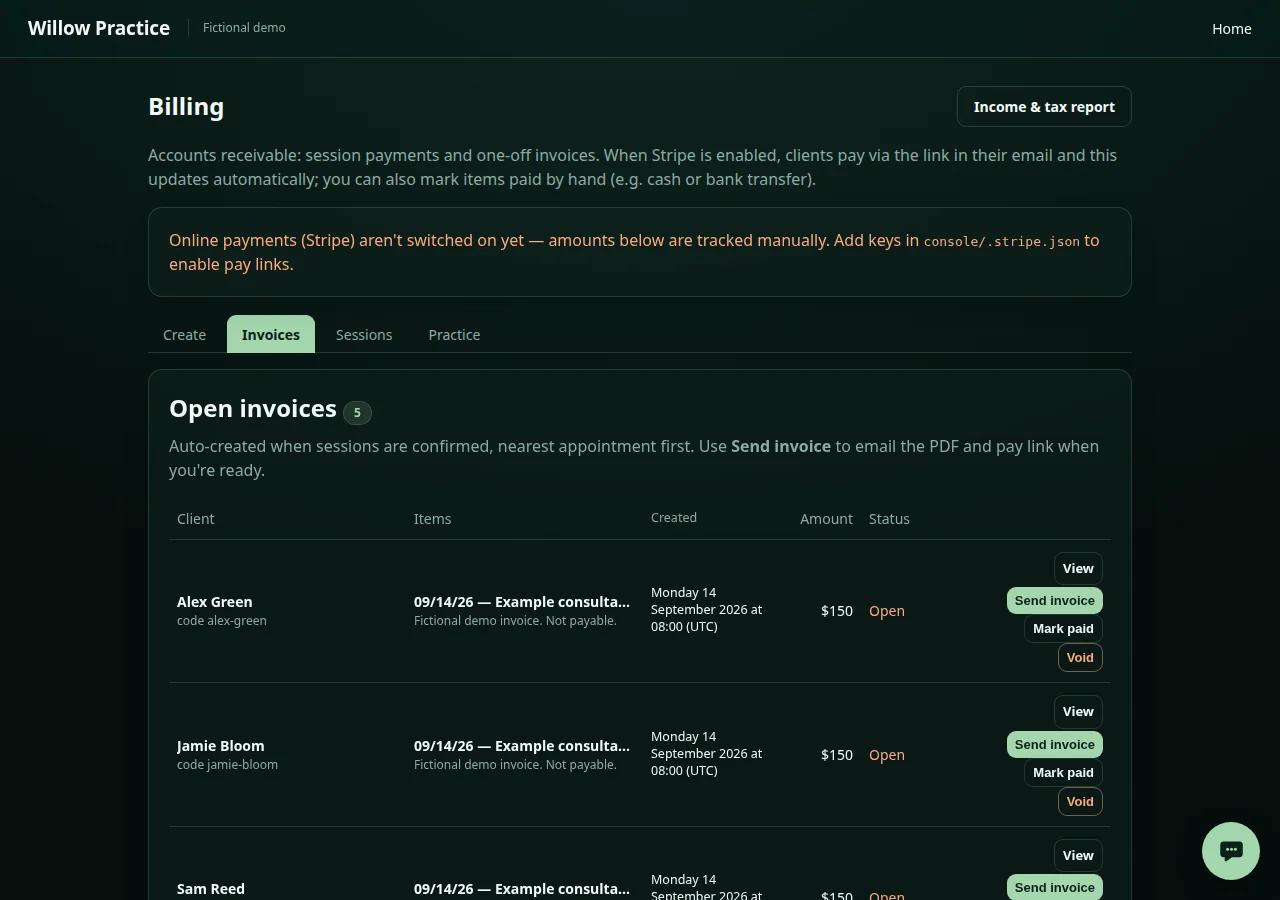 View screenshot
Calendar & email
Send confirmations and reminders through your email provider. Calendar invitations and read-only subscriptions need access to your private feed; changes in another calendar do not sync back.
Illustrative workflow
Appearance
Use your practice name, logos, colours and fonts across the console, booking pages and client portal. Pick a theme or start from your own brand colour.
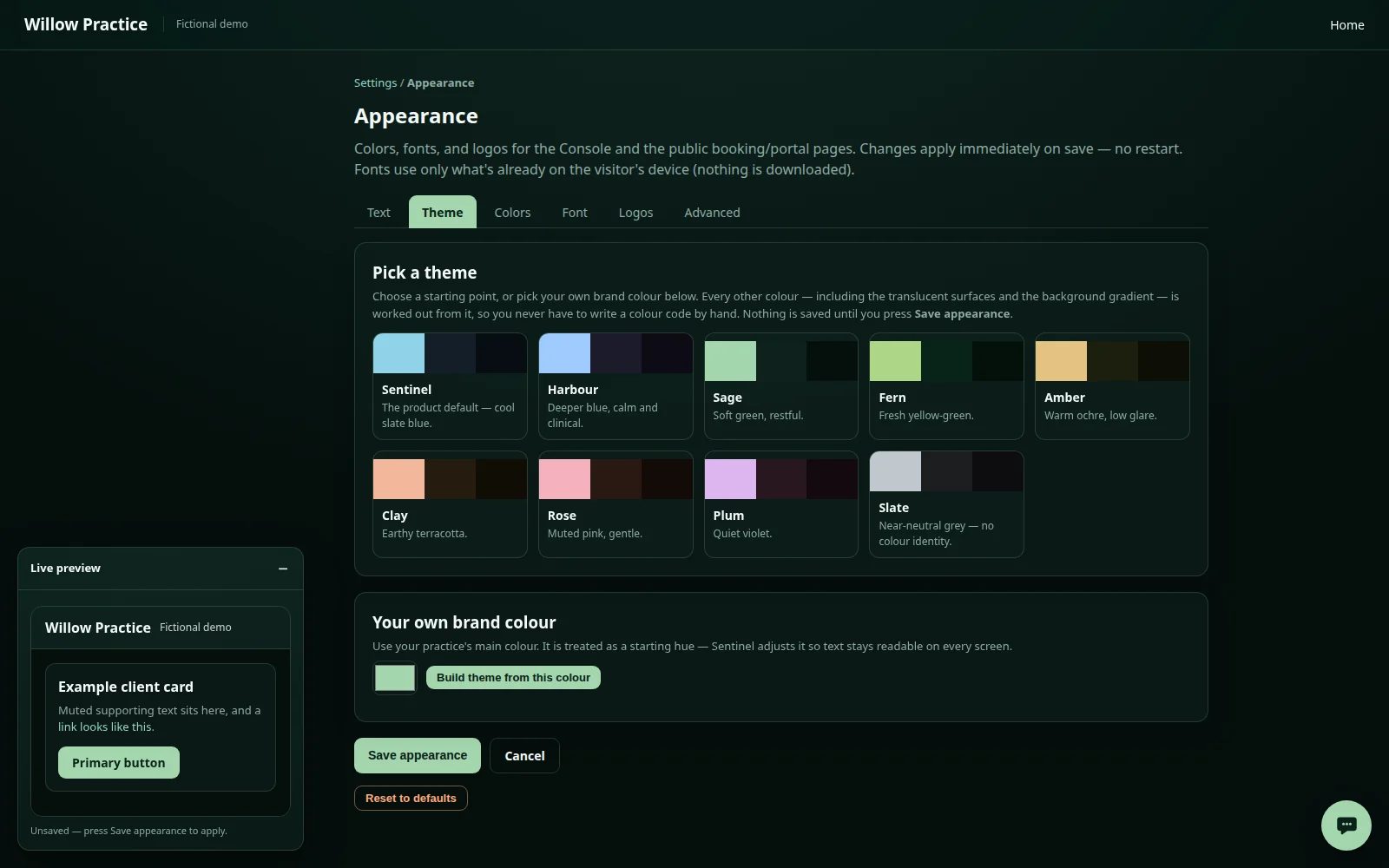 View screenshot
Connected services need configuration. Local AI does not mean every practice connection works offline.
Where local AI helps
Local AI helps turn session material into an editable draft and find information in selected patient notes. You decide what belongs in the final record.
Support for the work.
Space for the person.
From a consented recording
For recorded video sessions with consent, local transcription and a local language model can prepare a note in your chosen format. The recording and drafting are separate from your approval of the note.
Working in your templates
Write your own notes or ask local AI to refine an unsigned draft using a practice-defined template. Check the wording, add what matters and sign the final document yourself.
Looking back at a patient record
In the local AI workspace, select a patient’s notes and intake collection to ask questions about the filed material. Check answers against the actual notes; retrieval can miss details.
AI can make mistakes. The clinician reviews, corrects and approves the final record. It does not make clinical decisions or sign notes for you.
Starting a practice
For a new practice, guided setup begins with your name, hours and services. We work through equipment, access and the connections you need with you. Existing records and specialist integrations need their own assessment.
Talk through your setupAdd your practice name, contact details and branding. Set up the practitioner profile patients will see.
Set working hours, session types, fees and booking rules. Prepare the intake forms and document templates you need.
Configure your email provider and, if you want online payments, Stripe. Check video rooms and calendar invitations.
Review readiness and public addresses before go-live. Publishing requires an explicit confirmation, so you choose when booking opens.
Privacy, with a clear explanation
Transcription and AI note drafting happen on your own Sentinel, not a cloud AI service. We also explain the connections your practice needs around it.
Local AI does not mean every feature is offline or that no data ever leaves your system. We work through access, consent, retention and outside services with you before setup.
A few things you may be wondering
Independent clinical practices that want appointments, records and documentation together, with private AI on their own system. Our experience comes from a working clinical practice. We talk through your specialty, team and existing tools before recommending a setup.
No. It helps with transcription and draft notes; it does not replace clinical judgement. AI can make mistakes or leave things out. The clinician checks the source material, corrects the draft and approves the final record.
Transcription and AI note drafting can run on your own Sentinel after setup. Video appointments, remote access, email, payments, updates and off-site backups can need a connection or an external service. We explain those dependencies before setup.
Sentinel sends appointment invitations and provides a read-only subscription feed for compatible calendar apps. Changes in another calendar do not sync back. The app needs access to your private feed, so we check the connection during setup.
We start there. Moving records and connecting specialist tools needs a careful assessment of your formats, workflows and retention requirements. Migration and integrations are scoped with you, not assumed to be ready-made.
Not on its own. Sentinel is built with privacy safeguards to support HIPAA and GDPR requirements: patient data stays on your own system, and recordings and AI drafting are used only with consent and your sign-off. But compliance belongs to your practice and depends on your organisation, location and setup. Access, consent, retention, contracts and backups still need review. This page does not claim a compliance certification or clinical-outcome validation.
A conversation, not a commitment
You don’t need a technical brief. Tell us how your days work, what feels cumbersome and what you’d like to keep close. We’ll explore the fit together.
Part of the Sentinel family. Made for the way you care.
All Sentinel use cases